| Shot list element | What it records | Planning use |
|---|---|---|
| Shot number | The reference number assigned to each individual shot; it preserves the edit order, the sequence the audience sees | Gives crew, schedule and editor one shared label for every setup |
| Shot size | Establishing shot, wide shot, medium shot, close-up and similar sizes | Shows at a glance whether a scene has the coverage it needs |
| Angle and movement | The camera angle, and how the camera moves or does not move within the shot | Tells camera and grip teams what to build before the take |
| Lens | The lens chosen for the shot | Lets the camera team prepare glass in advance instead of deciding at the camera |
| Subject, audio and notes | Who or what is in frame, sound needs, and anything practical | Keeps the row short while still carrying the detail a setup depends on |
Field names and definitions follow Storyflow’s shot list guide and Assemble’s shot list template.
A shot list format is a table with one row per camera setup and columns for shot number, size, angle, movement, lens, subject, audio and notes. Number the rows in edit order, then re-order a copy for the shoot.
The list works best as one part of a wider plan, so read it alongside a video production checklist covering the rest of pre-production.
What a shot list changes on set
A well-formatted shot list saves time on set. StudioBinder describes it as an essential tool for getting the shots you need while saving time on set. Storyflow defines it as the ordered inventory of every camera setup planned for a scene, and it places the list between two other documents: the storyboard, which carries the look, and the schedule, which carries what is shot and when.
That position decides what belongs in the list and what does not. A row that tries to carry mood, timing and logistics becomes hard to scan under pressure, so the format should stay narrow.
- Look stays in the storyboard. The list records the setup (size, angle, lens), not the visual treatment, which the storyboard already holds.
- Timing stays in the schedule. Rows say what will be captured. The schedule decides when, which is why the list can stay stable while the shooting day moves around.
- Gaps show up as missing rows. Because the list is an inventory of planned setups, a scene with no close-up or no establishing shot is visible before anyone arrives on set.
With that scope settled, the next decision is which columns earn a place.
Columns to include
Core columns
Each row describes one shot, and Storyflow lists the fields as number, size, angle, movement, lens, subject, audio and notes. That set covers most narrative and interview work.
- Shot number. TechSmith suggests codes such as 1A, 1B and 2A for quick reference and organization, so the scene number and a letter identify each setup.
- Size. Use plain categories: establishing, wide, medium, close-up. Consistent names let anyone compare rows without decoding shorthand.
- Angle. Angle carries meaning, so choose it deliberately. According to TechSmith, eye level feels conversational, low angles give power, and high angle shots create vulnerability or give an overview.
- Movement. Assemble defines this column as how the camera moves or does not move within the shot. Fill it in even for locked-off shots, so a blank cell never leaves the grip team guessing.
- Lens. Name the lens whenever the choice matters to the look, such as a close-up on a particular focal length.
For dialogue, TechSmith notes that an over-the-shoulder shot connects two subjects in conversation. That makes it a natural row to add whenever a scene turns on an exchange between characters.
Optional columns
Assemble’s template goes further, with scene number, takes, equipment, cast and sound columns. Milanote recommends including location and the position of the camera alongside angle and shot size. Add a column only when someone on set will act on it. A solo shoot rarely needs a cast column, while a multi-location day benefits from location and camera position.
Event work also tends to need fewer technical columns and a stronger time reference. For coverage organized around a timeline, see The Ultimate Wedding Shot List: Must-Have Photos And A Simple Timeline For Stress-Free Coverage (2026).
Shot numbers and shot order
The shot number keeps the edit order, which is the sequence the audience sees. Shooting rarely follows that sequence. Assemble points out that films are rarely shot sequentially, because it would be unproductive, and that scenes are grouped by location for budget and logistics.
Storyflow’s advice is to order the list for the edit, then re-order it for the shoot. In practice that gives you two views of the same rows:
- Edit-order master. Numbers stay attached to shots, so the editor and director can always find a setup by its code.
- Shoot-order working copy. The schedule groups shots so the crew stays in one location and one lighting setup for as long as possible.
Keep the shot number fixed when you move rows around. If numbers change every time the order does, the code stops working as a shared reference.

Estimating duration
TechSmith gives a simple formula for planning: setup time plus action time plus a safety buffer equals total shot duration. Its example for a dialogue shot is about 2 minutes of setup and 10 seconds for the take, plus a buffer of 5 to 10 seconds.
The word duration can mean two different things on a list, and mixing them causes scheduling errors. One is how long the shot takes to get, which the formula covers and which belongs in planning. The other is how long something holds on screen, such as an establishing wide held for 3 seconds before dialogue. If you use a duration column, label it so the crew knows which one it holds, or keep the on-screen hold in the notes cell and leave scheduling time to the schedule.
Worked scene example
Storyflow publishes a six-shot dialogue scene, coded 1A to 1F, with columns for shot number, size, angle, movement, subject and notes. The sketch below follows that pattern for the opening setups of a conversation scene, using the supported details for each shot type.
- 1A, establishing wide. Notes: hold 3 seconds before dialogue and motivate the window light.
- 1B, over-the-shoulder. Subject: the two characters in conversation. This is the row that connects them, as TechSmith describes.
- Close-up of Daniel reacting. Lens: 50mm. Notes: shoot the whole scene clean for coverage, so the reaction can be cut in wherever the edit needs it.
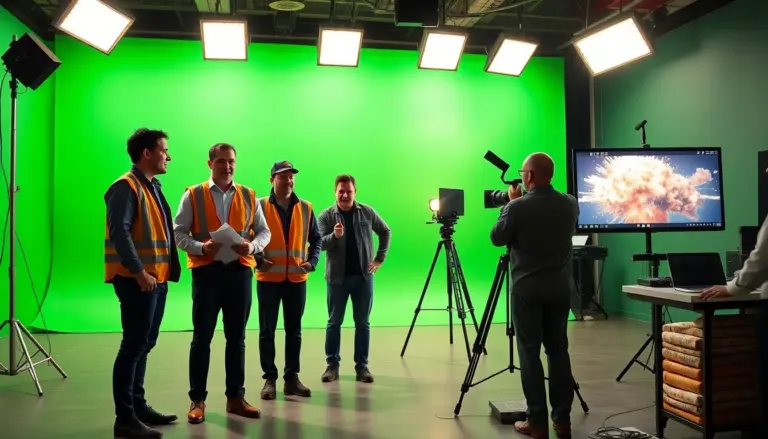
Three habits make this kind of row work. First, the notes cell carries the instruction that would otherwise be shouted across the set, such as a lighting motivation or a hold. Second, the lens appears only where it shapes the shot. Third, a shot that will be composited or needs special treatment can be flagged in the same cell, and for background plates you can check Where to Find Free Green Screen Stock Footage: 25+ Sites, Samples, and Pro Tips for 2026.
Milanote adds that reference images or sketches make a shot list easier to scan. A thumbnail beside a complicated row often saves more explanation than another sentence of notes.
Frequently asked questions
Who writes the shot list?
Assemble describes a shot list as a checklist created by the director and the cinematographer during pre-production.
How is a shot list different from a shot log?
A shot list plans the shots before shooting. Assemble describes shot logs, also called camera reports, as detailed notes that include metadata, used to organize footage for editing.
Should a shot list include images?
Images are optional but useful. Milanote says reference images or sketches make a shot list easier to scan, so add them to rows that are hard to describe in words.