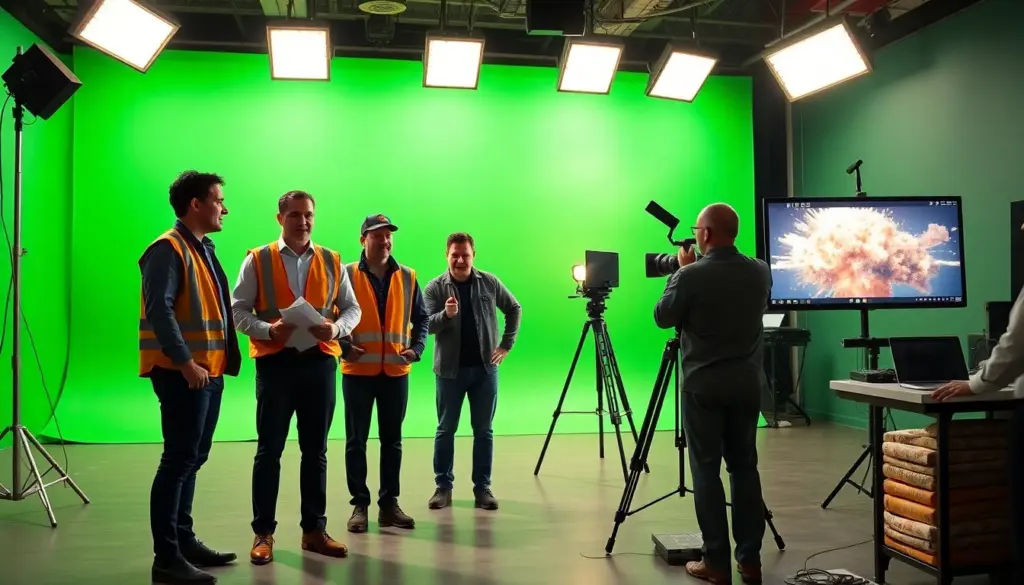
The explosion green screen effect lets filmmakers add blasts without pyrotechnics. This guide gives clear steps and practical tips. It covers planning, safety, shooting, lighting, and compositing. The reader learns how to plan shots, gather assets, shoot clean plates, and composite a final blast. The guide uses plain language and direct steps for fast learning.
Key Takeaways
- The explosion green screen effect allows filmmakers to safely create realistic blasts without using real pyrotechnics.
- Preproduction involves planning explosion size, timing, and gathering reference assets to ensure accurate visuals and physics.
- Proper lighting and green screen setup are crucial for clean keying and seamless integration of explosion elements.
- Careful compositing workflows, including spill removal and edge refinement, enhance the realism of the explosion effect.
- Safety protocols, legal permits, and insurance coverage are essential before filming any explosion green screen scenes.
- Shooting with clear framing, timing cues, and multiple shot options ensures the explosion matches live-action footage effectively.
What Is An Explosion Green Screen Effect And When To Use It
The explosion green screen effect places a filmed explosion over live-action footage. Filmmakers use it when they need a blast but cannot use real pyrotechnics. Visual effects artists use stock explosions, practical elements, or simulations for the effect. Directors use it for action scenes, stunts, and scenes that require multiple takes. Producers choose this method to lower cost and reduce safety risk. The effect fits work that needs tight control over timing, framing, and look.
Safety, Legal, And Practical Considerations Before You Film
The team checks local laws and permit needs before any shoot. The crew follows safety plans and keeps a safety officer on set. The production avoids live explosives and secures props that can ignite. The team gets releases for actors and locations when they plan to add an explosion green screen effect. Insurance covers stunts and effects in most shoots. The crew plans alternate shots in case weather or conditions force a change.
Preproduction — Planning Shots, References, And Asset Gathering
The director defines the explosion size, direction, and timing during preproduction. The team collects reference images and short clips of real blasts to match physics and light. The editor compiles a library of explosion green screen plates and simulated elements. The cinematographer chooses lenses, frame rates, and camera moves to match plates. The VFX artist tests a quick composite to confirm scale and timing. The producer secures rights for any stock explosion assets the team plans to use.
Shooting Tips For Green Screen Explosions: Framing, Movement, And Timing
The crew frames the plate to leave room for the blast and debris. The camera stays steady for easy tracking or moves with a planned motion for dynamic shots. The actors hit marks and react to a clear cue so their timing matches the explosion green screen element. The director shoots reaction shots and wide plates for compositing options. The team records room tone and environmental sounds to aid the sound edit.
Lighting Setup For Clean Keys And Realistic Integration
The gaffer sets even green illumination to avoid hot spots and shadows. The team uses soft sources for broad, even light and backlights to separate the subject from the green. The crew matches the plate lighting to the intended explosion direction and color. The cinematographer adds a rim light when the blast would hit from behind. The crew places flags to control spill. The team captures reference photos of the green screen and subject for later color matching.
Keying And Compositing Workflow: From Raw Footage To Polished Shot
The editor imports raw footage and explosion green screen plates into the compositing software. The artist aligns plates, scales elements, and matches frame rates. The compositor applies a primary key to remove the green screen and then refines the mask. The artist uses roto when the key leaves artifacts near edges. The compositor adds motion blur, lens distortion, and grain to match the camera. The team integrates shadows and lighting cues so the explosion green screen element sits in the scene.
Color Spill Removal, Edge Refinement, And Final Touches
The compositor removes green spill with hue suppression and selective desaturation. The artist refines edges with choke, soften, and manual paint where needed. The compositor adds glow, heat distortion, and debris layers for realism. The colorist balances color, contrast, and saturation to match plates and explosion elements. The sound editor layers impacts, rumble, and high-frequency crackle synced to the visual blast. The final export includes a high-resolution master and delivery files sized for the platform.