A roll vs b roll sits at the center of clear video storytelling. The writer explains primary footage and supporting footage. The reader learns practical use, shooting tips, and editing steps. The article shows how they work together to make videos more engaging and easier to follow.
Key Takeaways
- A-roll serves as the primary footage, focusing on main subjects like speakers and key actions to drive the narrative clearly.
- B-roll acts as supporting footage, adding context, emotion, and visual interest to complement the a-roll and cover edits.
- Using a-roll and b-roll together enhances storytelling by combining direct information with illustrative visuals for more engaging videos.
- Editors strategically insert b-roll to smooth transitions, hide cuts, and reinforce messages without interrupting the a-roll audio.
- Planning shot variety and coverage for both a-roll and b-roll ensures footage options that improve pacing and story clarity during editing.
- Shooting multiple angles and logging clips carefully helps streamline the editing process and create a polished final video.
What Is A-Roll — Primary Footage That Drives Your Narrative
A roll vs b roll begins with a-roll as the primary footage. A-roll shows the speaker, the main action, or the key interview. The camera focuses on faces, dialogue, and essential actions. The editor places a-roll on the timeline to carry the message. The director plans a-roll first to define the story beats. The crew records clear audio for a-roll to preserve the narrative. Editors trim a-roll to keep pacing tight and meaning clear.
What Is B-Roll — Supporting Footage That Adds Context And Emotion
A roll vs b roll includes b-roll as supporting footage. B-roll shows environment, details, reactions, and cutaways. The camera captures motion, close-ups, and wide context for b-roll. The editor uses b-roll to illustrate points and hide cuts. The director schedules b-roll after a-roll to fill gaps and add mood. The crew shoots extra b-roll to give editors options. The editor places b-roll over a-roll audio to add visual interest without changing the message.
How A-Roll And B-Roll Work Together To Build Clear, Engaging Stories
A roll vs b roll works when each roll serves a clear purpose. A-roll delivers facts and quotes. B-roll supplies proof, emotion, and visual relief. The editor alternates a-roll and b-roll to reinforce ideas. The audience reads the message in the words and confirms it in the images. The filmmaker uses b-roll to reduce jump cuts and to show rather than tell. The team plans both rolls so each shot aligns with the story goal.
When To Use B-Roll For Storytelling, Transitions, And Visual Interest
A roll vs b roll requires timing for b-roll use. The editor inserts b-roll when the a-roll shows a pause or a cut. The filmmaker uses b-roll to illustrate a claim from a-roll. The editor adds b-roll to bridge scenes and to change location smoothly. The director uses b-roll to show details that the a-roll mentions. The editor layers b-roll when the audio from a-roll continues and the visual needs refreshment.
Practical Shooting Tips: Planning, Coverage, And Shot Variety For Both Rolls
A roll vs b roll needs a shot list for each roll. The director writes a-roll prompts and questions before the shoot. The crew marks key moments in a-roll to capture reactions. The director plans b-roll with a variety of framings: wide, medium, and close. The camera operator captures movement, inserts, and cutaways for b-roll. The team shoots at least three angles for important a-roll moments. The crew logs clips to speed the edit.
Editing Best Practices For Seamless A-Roll/B-Roll Integration
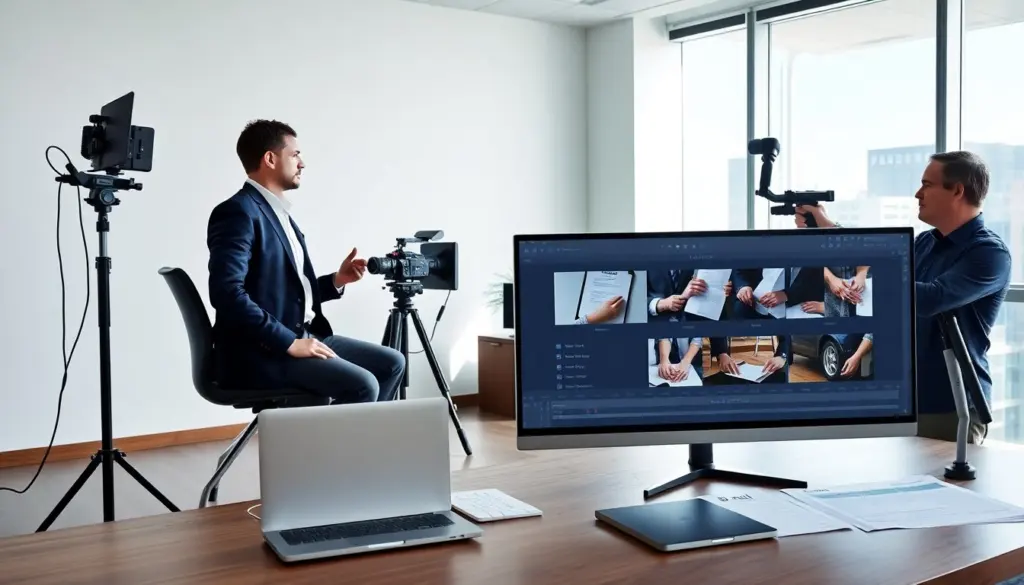
Editors combine a-roll and b-roll to create continuity, maintain pacing, and preserve the speaker’s intent. Start by assembling a clean a-roll timeline with synced audio and marked takes. Use b-roll to cover jump cuts, visualize references made in the a-roll, and adjust pacing without altering the primary audio track. Match color and exposure between rolls, and use gentle transitions or cutaways that respect eyeline and motion to avoid jarring edits. Keep b-roll shorter than a-roll shots when the goal is to support rather than replace information, and prefer motion-matched cutaways for dynamic scenes. Finally, organize media with clear naming, metadata, and bins so editors can quickly find relevant a-roll and b-roll, making the final pass faster and more consistent.